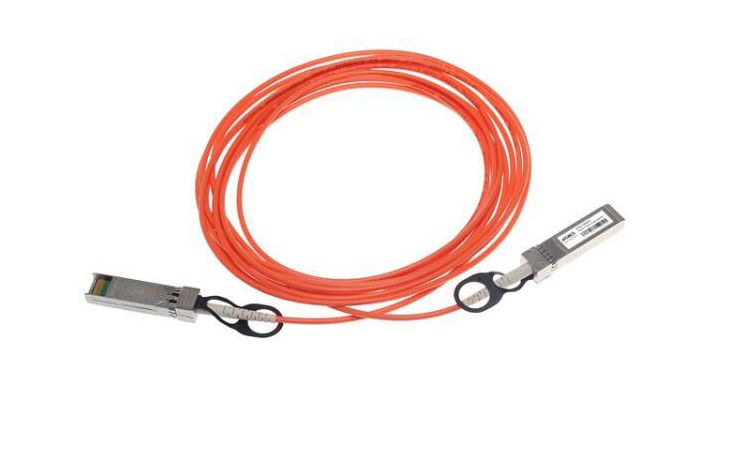
In the ever-evolving world of networking, the Small Form-Factor Pluggable (SFP) module has emerged as a versatile and essential component. Commonly found in switches, routers, and network interface cards (NICs), SFP ports offer flexibility and efficiency in network connections. However, a common question arises: Can you plug an Ethernet cable into an SFP port?
To answer this, it’s important to understand what SFP ports are and how they function. SFP modules are designed to support various types of network connections, primarily fiber optic cables for long-distance communication. These modules are hot-swappable, meaning they can be replaced without shutting down the entire system, making them incredibly convenient for maintaining and upgrading networks.
The Basics of SFP Ports
SFP ports are designed to interface with SFP transceivers, which can then connect to different types of cables. These transceivers can handle either fiber optic or copper cables, depending on the specific module used. For instance, fiber optic SFP transceivers support single-mode or multi-mode fiber cables, ideal for high-speed, long-distance data transmission.
However, there are also SFP transceivers designed for copper cables, specifically Ethernet. These are known as SFP-to-Ethernet transceivers or SFP RJ45 modules. With these transceivers, you can indeed connect an Ethernet cable to an SFP port. This capability adds tremendous flexibility to network setups, allowing administrators to use existing Ethernet cabling infrastructure while still leveraging the advanced features of SFP technology.
SFP vs. Traditional Ethernet Ports
Traditional Ethernet ports (RJ45) are ubiquitous in most networking equipment, used extensively for local area network (LAN) connections. They support twisted-pair copper cables, such as Cat5e, Cat6, or Cat6a, for data transmission over relatively short distances.
In contrast, SFP ports, when equipped with the appropriate transceivers, can support a wide range of media types. This versatility is one of the key advantages of SFP technology. For example, with a fiber optic transceiver, an SFP port can connect to fiber optic cables, facilitating high-speed connections over long distances, often exceeding 100 meters, which is a limitation for traditional Ethernet.
Why Use SFP Ports?
The use of SFP ports comes down to flexibility, scalability, and performance. SFP ports allow network administrators to tailor their network connections to specific needs. If high-speed, long-distance communication is required, fiber optic SFP modules are the way to go. Conversely, for shorter distances within a building or campus, copper SFP transceivers can be used with standard Ethernet cables.
Moreover, SFP modules enable easy upgrades and maintenance. For instance, if a network requires an upgrade from a slower Ethernet connection to a high-speed fiber optic connection, the transition can be smooth with the appropriate SFP transceiver, without needing to replace the entire switch or router.
Compatibility Considerations
While SFP ports are highly versatile, it’s crucial to ensure compatibility between the SFP module and the network device. Not all SFP transceivers are compatible with every switch or router. Manufacturers often recommend specific SFP modules for their devices to ensure optimal performance and avoid potential issues.
Additionally, it’s important to note that not all Ethernet cables are created equal. When using an SFP-to-Ethernet transceiver, make sure to use high-quality Ethernet cables that meet the required specifications, such as Cat6 or Cat6a, to ensure reliable performance.
The Role of SFP+ and Beyond
As network demands continue to grow, so do the capabilities of SFP technology. The introduction of SFP+ modules has taken SFP technology to the next level. SFP+ modules support data rates up to 10 Gbps, compared to the 1 Gbps limit of standard SFP modules. This advancement is crucial for modern data centers and high-performance computing environments where bandwidth is at a premium.
SFP+ modules also support both fiber optic and copper connections, similar to their SFP counterparts. With SFP+ to RJ45 transceivers, you can connect 10 Gigabit Ethernet cables to SFP+ ports, offering an impressive upgrade path for existing network infrastructure.
Best Practices for Using SFP Ports
To maximize the benefits of SFP technology, consider the following best practices:
Choose the Right Transceiver: Ensure you select the appropriate SFP transceiver for your network needs, whether it’s for fiber optic or copper connections. Check compatibility with your network equipment to avoid performance issues.
Use High-Quality Cables: Whether using fiber optic or Ethernet cables, always opt for high-quality, certified cables. Poor-quality cables can lead to data loss, interference, and reduced performance.
Plan for Scalability: Take advantage of the scalability offered by SFP technology. Plan your network infrastructure to allow for easy upgrades and expansions, ensuring you can meet future demands without significant overhauls.
Monitor and Maintain: Regularly monitor the performance of your network connections and maintain your SFP modules. Dust and debris can affect fiber optic connections, so keeping ports clean and ensuring secure connections is essential.
Stay Updated: Network technology evolves rapidly. Stay informed about the latest advancements in SFP technology, such as the emergence of SFP28 (25 Gbps) and QSFP (40 Gbps) modules, to future-proof your network.
Real-World Applications
SFP ports are used across various industries and applications. In data centers, they facilitate high-speed connections between servers and storage systems. In telecommunications, they enable long-distance communication between different network nodes. Enterprises use SFP ports to create flexible and scalable office networks, ensuring efficient data flow and connectivity.
For instance, a company upgrading its network infrastructure can use SFP ports to transition from traditional Ethernet to fiber optic connections gradually. By starting with SFP-to-Ethernet transceivers, they can maintain their existing Ethernet cabling while preparing for a full fiber optic upgrade in the future.
Conclusion
So, can you plug an Ethernet cable into an SFP port? The answer is a resounding yes, provided you use the appropriate SFP-to-Ethernet transceiver. This capability showcases the versatility and adaptability of SFP technology, making it an invaluable asset in modern networking.
By understanding the functions and advantages of SFP ports, network administrators can make informed decisions to optimize their network infrastructure, ensuring robust, scalable, and high-performance connectivity. Whether for a small business or a large enterprise, leveraging SFP technology can pave the way for a future-ready network, capable of meeting the ever-increasing demands of the digital age.
Frequently Asked Questions
Q:Can 1G SFP work with 10G SFP
A:Yes, technically, a 1G SFP can physically fit into a 10G SFP port, but it will not work as intended. The mismatch in data rates will likely result in communication errors, link instability, and degraded network performance. Mixing different SFP speeds can lead to potential issues such as data packet loss, increased latency, and network congestion.
To address these issues when mixing 1G and 10G SFPs, it is recommended to use media converters or rate-selectable SFP modules that can adapt to different speeds. These devices can help bridge the gap between different SFP speeds and ensure compatibility within the network.
From a current perspective, with the advancement of technology and the widespread adoption of higher network speeds, it is becoming increasingly important to maintain uniformity in SFP speeds to optimize network performance and reliability. Therefore, it is advisable to avoid mixing 1G and 10G SFPs whenever possible to prevent potential compatibility issues and ensure seamless network operation.
Q:Do Walsun appliances support direct attach cable (DAC)?
A:Yes, Walsun appliances support a passive DAC in release 10.5 and later.
Q:Which port must I insert the DAC into?
A:DAC is inserted into the 10G port on the appliance.
Q:Does the 1G port support a DAC?
A:No. The DAC might fit into a 1G port but is not supported.
Q:How can I order a DAC?
A:Contact your Walsun sales representative to order a DAC.
Q:Can I mix DAC and fiber transceivers on the same appliance?
A:Yes. You can mix DAC and fiber transceivers on the same appliance. Each 10G port supports both options.
Q:Can I mix SFP+ fiber and DAC in ports that are part of the same link aggregation channel?
A:No. There must be symmetry between all elements in the same link aggregation channel.
Q:Which transceivers use the MPO type connector?
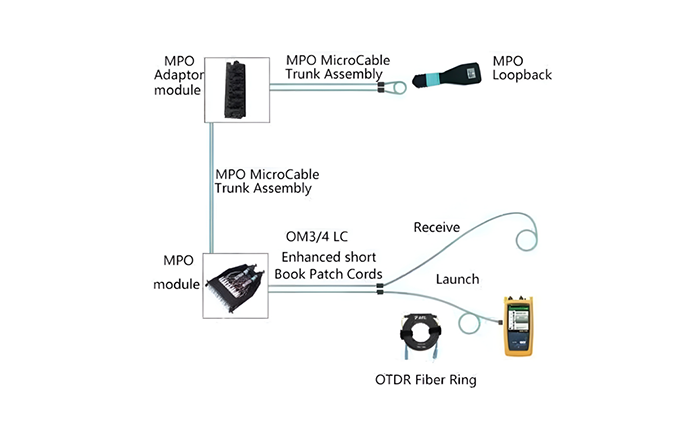
A:Only 40G QSFP+ SR4 transceiver and 100G QSFP28 SR4 transceivers use the MPO type connector. All other fiber transceivers use the LC type connector.
Q:Are special adapters required for 25G, 50G, and 100G ports?
A 100G port can support five speeds: 10G, 25G, 40G, 50G, and 100G. 1G speed is not supported on the 100G port. 50G and 100G ports use the same transceiver. The appliance determines the speed, and not the port.
Only 50G/100G (QSFP28) and 40G (QSFP+) transceivers can be directly used on a QSFP28 interface. Use a QSA28 adapter on a QSFP28 interface to use 10G (SFP+) and 25G (SFP28) transceivers.
Related Article:
SFP-CWGE27-80C 1.25G CWDM SFP 1270nm 80km LC SMF DDM Transceiver Module
TRENDnet TEG-MGBS10 Compatible 1000Base LX SFP 1310nm 10km LC SMF DDM Transceiver Module
SFP-GE35-2BX20 1000Base 2 Channels BX BIDI CSFP TX1310nm-RX1550nm 20km LC SMF DDM Transceiver Module
SFP-GE55-ZX 1000Base SFP ZX 1550nm 80km LC SMF DDM Transceiver Module
SFP-DWGE17-120C 1.25G DWDM SFP C17 100GHz 1563.86nm 120km LC SMF DDM Transceiver Module