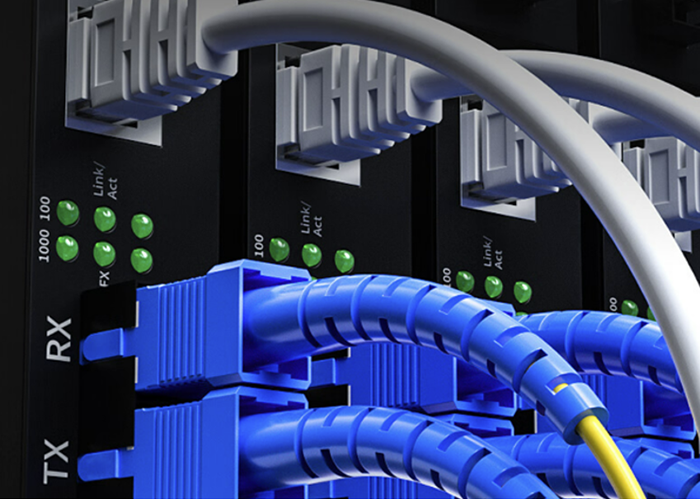
In the rapidly evolving world of networking, the use of Small Form-factor Pluggable (SFP) modules has become a standard for providing network flexibility and scalability. SFP modules are hot-swappable devices that allow network hardware such as switches and routers to interface with fiber optic or copper networking cables. However, ensuring the compatibility of SFP modules with the network equipment is crucial to maintain seamless connectivity and performance. This article will guide you through the key considerations for determining SFP compatibility, ensuring that your network runs efficiently and without interruptions.
Table of Contents
ToggleUnderstanding SFP Compatibility
SFP compatibility refers to the ability of an SFP module to work seamlessly with a specific network device, such as a switch or router. This compatibility depends on several factors, including the device type, the type of SFP, the wavelength and distance capabilities of the SFP, and the required data rate. Failure to ensure compatibility can lead to issues such as network downtime, reduced performance, or even hardware damage.
Factors to Consider for SFP Compatibility
- Device Type Network devices come in various types, such as switches, routers, and transceivers. Each device may support different SFP modules depending on its design and intended use. It’s important to verify that the SFP module is compatible with the specific type of network device you are using. Most manufacturers provide compatibility lists or documentation that specify which SFP modules are supported by each device model.
- SFP Type There are different types of SFP modules, including standard SFP, SFP+, and QSFP, each supporting different data rates and applications. For example, SFP modules typically support up to 1 Gbps data rates, while SFP+ modules can support up to 10 Gbps. Understanding the difference between these types is essential for choosing the right module for your network needs.
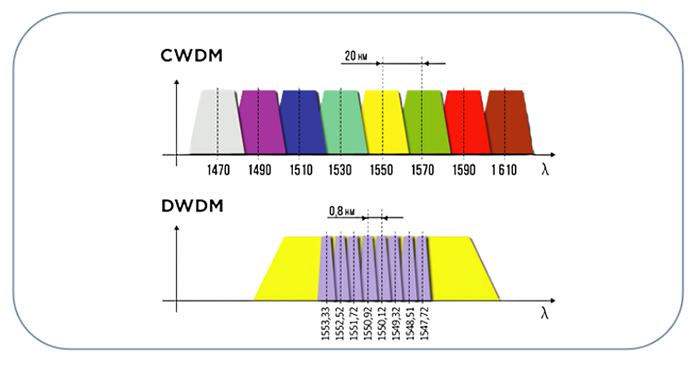
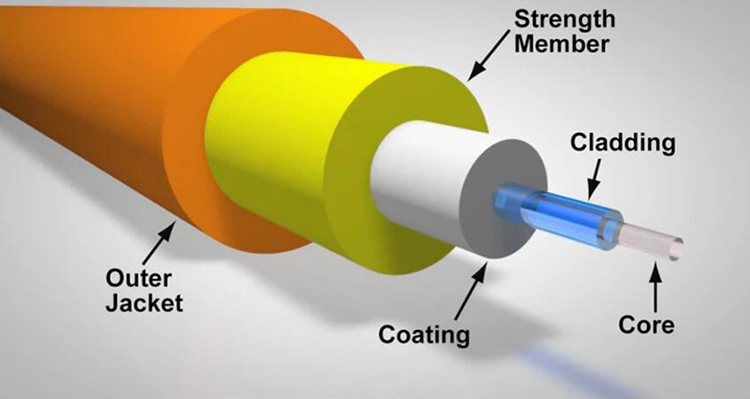
- Wavelength and Distance SFP modules are designed to operate at specific wavelengths and over specific distances. These parameters must match the type of fiber optic cable used in your network. Single-mode SFPs are typically used for long-distance transmissions, while multimode SFPs are used for shorter distances. Using an SFP with an incompatible wavelength or distance capability can result in poor signal quality or complete failure of the network link.
- Data Rate Ensuring that the SFP module supports the required data transmission speed is critical. For example, using a 1 Gbps SFP module in a network that requires 10 Gbps throughput will create a bottleneck, reducing overall network performance. Always check the data rate specifications of both the SFP module and the network device to ensure they match.
Identifying Compatible SFP Modules
- Vendor Compatibility Original Equipment Manufacturer (OEM) SFP modules are designed and tested to work seamlessly with specific network devices. However, third-party SFP modules are also available and can offer cost savings. While third-party modules can be compatible, it’s essential to verify their compatibility with your specific devices. Some network equipment vendors provide compatibility lists or tools to help you determine which SFP modules are supported.
- Label and Documentation SFP modules typically have labels that provide key information such as the part number, wavelength, and supported data rates. Additionally, manufacturers provide datasheets and manuals that include detailed specifications and compatibility information. Cross-referencing this information with your network equipment specifications can help ensure compatibility.
Testing SFP Compatibility
- Network Management Systems (NMS) Many modern network devices come with built-in Network Management Systems (NMS) that can automatically detect and verify the compatibility of SFP modules. NMS tools can alert you to any incompatibilities or issues, making it easier to troubleshoot and resolve problems.
- Physical Testing Physical testing involves plugging the SFP module into the network device and monitoring its performance. This hands-on approach can quickly reveal any compatibility issues. It’s important to test the module in a controlled environment before deploying it in a live network to avoid potential disruptions.
Common Compatibility Issues and Troubleshooting
- Firmware and Software Updates Keeping network devices and SFP modules updated with the latest firmware and software versions is crucial for ensuring compatibility. Manufacturers often release updates to improve compatibility with new SFP modules or to address known issues.
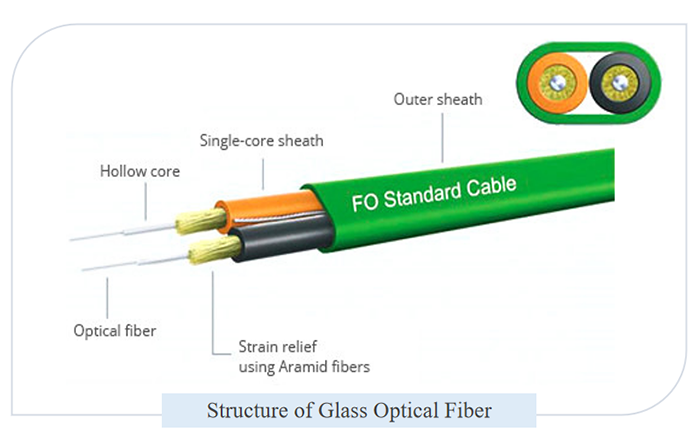
- Mismatched Components One of the most common compatibility issues is using mismatched components, such as an SFP module designed for single-mode fiber in a multimode fiber network. Always double-check the specifications of both the SFP module and the network infrastructure to avoid these issues.
Best Practices for Ensuring SFP Compatibility
- Regular Audits and Inventory Management Maintaining an inventory of SFP modules and their specifications can help prevent compatibility issues. Regular audits can ensure that all modules in use are compatible with the network devices and infrastructure.
- Consulting with Vendors and Experts If you’re unsure about compatibility or have a complex network setup, consulting with vendors or industry experts can provide valuable insights and recommendations. They can help you choose the right SFP modules and ensure that your network is optimized for performance and reliability.
Conclusion
Ensuring SFP compatibility is a critical aspect of network management that can significantly impact the performance and reliability of your network. By considering factors such as device type, SFP type, wavelength, distance, and data rate, you can choose the right SFP modules for your network needs. Regular testing, firmware updates, and consultations with experts can further ensure that your network operates smoothly and efficiently. By following these guidelines, you can avoid common pitfalls and ensure that your network remains robust and resilient.