In today’s fast-paced digital world, ensuring your network operates at peak performance is paramount. One of the key components in maintaining an efficient network is the Small Form-factor Pluggable (SFP) transceiver. These versatile devices are crucial for enabling high-speed data transmission across networks. But how can you determine if your SFP is 10G capable? Understanding this is vital for network administrators and IT professionals who aim to optimize their network infrastructure. In this article, we’ll explore several methods to identify if your SFP module supports 10G speeds.
1. Check the Label and Packaging
The easiest and most straightforward method to determine if your SFP is 10G is by inspecting the label and packaging. Manufacturers typically print essential details, including the speed rating, on the SFP module itself or its packaging. Look for terms such as “10GBASE” or “10 Gigabit Ethernet” which indicate 10G capability.
For instance, if you see labels like “10GBASE-SR” or “10GBASE-LR,” you can be confident that your SFP supports 10G speeds. These labels denote specific types of 10G transceivers, with SR (Short Range) and LR (Long Range) indicating the distance capabilities of the module.
2. Manufacturer’s Documentation
Another reliable way to confirm the speed of your SFP module is by referring to the manufacturer’s documentation. Product datasheets, manuals, and online resources from the manufacturer’s website provide detailed specifications about their SFP modules. These documents will explicitly state if the module supports 10G speeds.
For example, brands like Cisco, HP, and Juniper Networks offer comprehensive documentation on their websites. By searching for the specific model number of your SFP, you can access the exact specifications and confirm its capabilities.
3. Use a Network Device Interface
Modern network devices such as switches and routers often have interfaces that can provide information about connected SFP modules. By accessing the network device’s management interface, you can view details about the SFP modules installed in the device. This method typically involves logging into the device’s command-line interface (CLI) or graphical user interface (GUI) and using specific commands to query the SFP information.
For example, on a Cisco switch, you can use the command show interfaces transceiver to display detailed information about the connected SFP modules, including their speed ratings. This method is particularly useful for network administrators who manage multiple devices and need to verify the capabilities of installed SFP modules quickly.
4. Optical Signal Testing
Another advanced method to determine if your SFP module is 10G is through optical signal testing. This involves using specialized testing equipment to measure the signal characteristics and performance of the SFP module. Optical signal testers can analyze the transmission and reception capabilities of the SFP to confirm if it supports 10G speeds.
While this method is more technical and requires specific equipment, it provides a definitive answer regarding the SFP’s capabilities. Optical signal testing is commonly used by network professionals during installation and maintenance to ensure all components meet the required specifications.
5. Seek Expert Assistance
If you’re still uncertain about the speed of your SFP module, seeking assistance from networking experts or contacting the manufacturer’s support team can provide clarity. Networking professionals have extensive experience and can quickly identify the capabilities of SFP modules based on their knowledge and diagnostic tools.
Moreover, manufacturers’ support teams are equipped with detailed product knowledge and can assist you in verifying if your SFP module is 10G capable. Providing them with the model number and any other identifying information will help them give you accurate information.
6. Online Compatibility Tools
Several manufacturers and third-party websites offer online compatibility tools that can help you determine if your SFP module is 10G capable. These tools allow you to enter the model number or other identifying details of your SFP module to check its specifications and compatibility with various network devices.
For example, Cisco’s compatibility matrix and Juniper’s product compatibility tool are valuable resources for network professionals. These tools are regularly updated with the latest product information and can quickly confirm if your SFP module supports 10G speeds.
7. Firmware and Software Updates
Sometimes, the capabilities of an SFP module can be enhanced or clarified through firmware and software updates. Network devices often receive updates that improve compatibility and performance with various SFP modules. Checking for and applying the latest updates to your network devices can ensure that they correctly recognize and utilize the capabilities of your SFP modules.
For instance, a firmware update might add support for new 10G SFP modules or fix recognition issues with existing ones. Regularly updating your network devices is a best practice that can help maintain optimal performance and compatibility.
8. Community Forums and Online Resources
The networking community is a valuable resource for finding information about SFP modules and their capabilities. Online forums, discussion boards, and professional networking sites like LinkedIn host discussions where network professionals share their experiences and knowledge. By participating in these communities, you can gain insights from others who have dealt with similar questions.
Websites like Reddit’s r/networking, Spiceworks Community, and vendor-specific forums often have threads dedicated to SFP modules. Searching these forums for your specific SFP model can yield useful information about its capabilities and performance in real-world scenarios.
9. Visual Inspection and Physical Characteristics
While less precise, a visual inspection of the SFP module and its connectors can sometimes provide clues about its capabilities. For example, 10G SFP modules often have distinct physical characteristics, such as different color coding or connector types, compared to lower-speed modules. Familiarizing yourself with these visual indicators can help you make an educated guess about the module’s speed.
For instance, some 10G SFP+ modules might have blue or red release latches, while 1G SFP modules typically have black or white latches. Additionally, 10G modules often use LC connectors, which might differ from the connectors used in lower-speed modules.
10. Professional Training and Certification
Investing in professional training and certification can significantly enhance your ability to identify and work with various SFP modules. Programs like Cisco’s CCNA (Cisco Certified Network Associate) and CompTIA Network+ cover essential networking concepts, including the identification and use of SFP modules.
These certifications provide a solid foundation in networking and equip you with the skills needed to manage and optimize network infrastructure effectively. By becoming certified, you gain the expertise to confidently identify and deploy the appropriate SFP modules for your network needs.
Conclusion
Identifying whether your SFP module is 10G capable is crucial for maintaining a high-performance network. By using methods such as checking labels and packaging, referring to manufacturer documentation, leveraging network device interfaces, performing optical signal testing, and seeking expert assistance, you can accurately determine the capabilities of your SFP modules. Additionally, utilizing online compatibility tools, applying firmware updates, engaging with community forums, conducting visual inspections, and pursuing professional training can further enhance your understanding and management of SFP modules. With these strategies, you can ensure that your network infrastructure is equipped with the right components to meet your performance needs.
Frequently Asked Questions
Q:Can 1G SFP work with 10G SFP
A:Yes, technically, a 1G SFP can physically fit into a 10G SFP port, but it will not work as intended. The mismatch in data rates will likely result in communication errors, link instability, and degraded network performance. Mixing different SFP speeds can lead to potential issues such as data packet loss, increased latency, and network congestion.
To address these issues when mixing 1G and 10G SFPs, it is recommended to use media converters or rate-selectable SFP modules that can adapt to different speeds. These devices can help bridge the gap between different SFP speeds and ensure compatibility within the network.
From a current perspective, with the advancement of technology and the widespread adoption of higher network speeds, it is becoming increasingly important to maintain uniformity in SFP speeds to optimize network performance and reliability. Therefore, it is advisable to avoid mixing 1G and 10G SFPs whenever possible to prevent potential compatibility issues and ensure seamless network operation.
Q:Do Walsun appliances support direct attach cable (DAC)?
A:Yes, Walsun appliances support a passive DAC in release 10.5 and later.
Q:Which port must I insert the DAC into?
A:DAC is inserted into the 10G port on the appliance.
Q:Does the 1G port support a DAC?
A:No. The DAC might fit into a 1G port but is not supported.
Q:How can I order a DAC?
A:Contact your Walsun sales representative to order a DAC.
Q:Can I mix DAC and fiber transceivers on the same appliance?
A:Yes. You can mix DAC and fiber transceivers on the same appliance. Each 10G port supports both options.
Q:Can I mix SFP+ fiber and DAC in ports that are part of the same link aggregation channel?
A:No. There must be symmetry between all elements in the same link aggregation channel.
Q:Which transceivers use the MPO type connector?
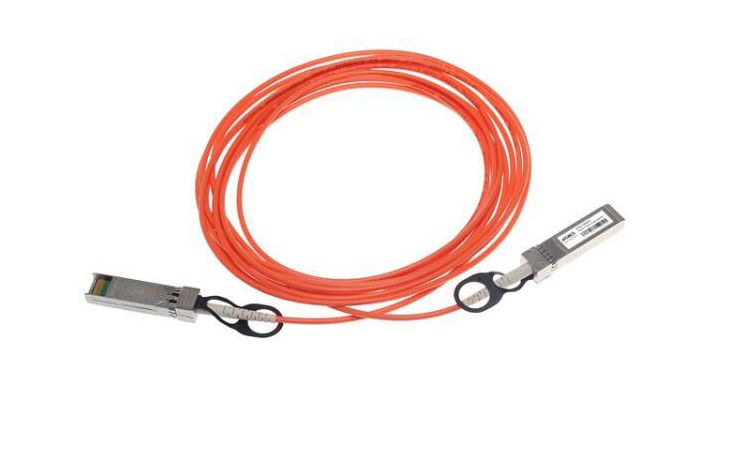
A:Only 40G QSFP+ SR4 transceiver and 100G QSFP28 SR4 transceivers use the MPO type connector. All other fiber transceivers use the LC type connector.
Q:Are special adapters required for 25G, 50G, and 100G ports?
A 100G port can support five speeds: 10G, 25G, 40G, 50G, and 100G. 1G speed is not supported on the 100G port. 50G and 100G ports use the same transceiver. The appliance determines the speed, and not the port.
Only 50G/100G (QSFP28) and 40G (QSFP+) transceivers can be directly used on a QSFP28 interface. Use a QSA28 adapter on a QSFP28 interface to use 10G (SFP+) and 25G (SFP28) transceivers.
Related Article:
SFP-CWGE27-80C 1.25G CWDM SFP 1270nm 80km LC SMF DDM Transceiver Module
TRENDnet TEG-MGBS10 Compatible 1000Base LX SFP 1310nm 10km LC SMF DDM Transceiver Module
SFP-GE35-2BX20 1000Base 2 Channels BX BIDI CSFP TX1310nm-RX1550nm 20km LC SMF DDM Transceiver Module
SFP-GE55-ZX 1000Base SFP ZX 1550nm 80km LC SMF DDM Transceiver Module
SFP-DWGE17-120C 1.25G DWDM SFP C17 100GHz 1563.86nm 120km LC SMF DDM Transceiver Module