Understanding SFP Modules and Port Compatibility
In the rapidly evolving world of networking, understanding the compatibility between different components is crucial for maintaining an efficient and cost-effective infrastructure. One common question that arises is, “Can I use a 1G SFP in a 10G port?” To answer this, we need to delve into the mechanics of SFP (Small Form-factor Pluggable) modules and their interactions with various network ports.
Table of Contents
ToggleWhat is an SFP Module?
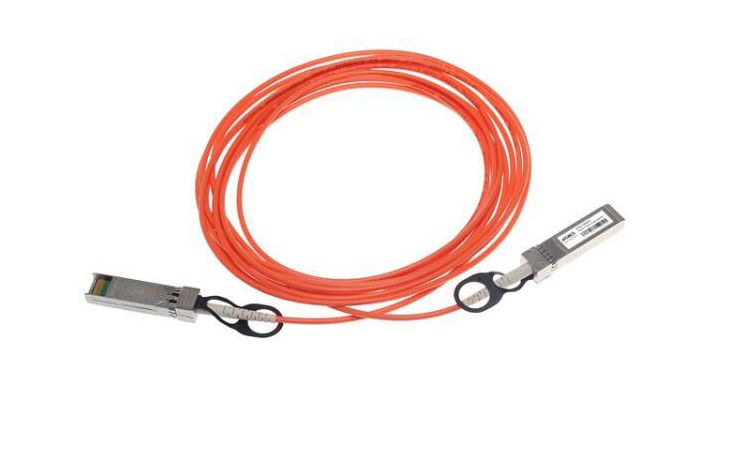
SFP modules are compact, hot-swappable transceivers used to connect network devices via optical or electrical signals. They come in different speeds, such as 1G (Gigabit) and 10G (Gigabit), and are designed to match the speed and type of the port they’re inserted into. A 1G SFP module is specifically engineered for 1G network ports, while a 10G SFP is meant for 10G ports.
Compatibility of 1G SFP in a 10G Port
The fundamental question here is whether a 1G SFP module can operate in a 10G port. Generally, the answer is no. This is primarily because 1G SFPs are not designed to function at the higher speeds supported by 10G ports. Here’s a closer look at why:
- Speed Mismatch: The primary reason is the speed discrepancy. 1G SFP modules are built to handle data rates of up to 1 gigabit per second. On the other hand, 10G ports are engineered to handle data rates of up to 10 gigabits per second. The protocols and electronic components inside a 1G SFP module are not designed to cope with the higher speeds required by 10G ports.
- Electrical and Optical Specifications: Beyond speed, 1G and 10G SFP modules have different electrical and optical characteristics. The circuitry, laser types, and signal processing technologies in these modules vary significantly. A 1G module lacks the capability to process or transmit data at the speeds and volumes required by a 10G port.
- Form Factor vs. Function: While the form factor of SFP modules may look similar, the internal functions are specialized. A 10G port might physically accept a 1G SFP module due to the similar form factor, but the module’s functionality will be limited by its design specifications.
Practical Implications
Using a 1G SFP module in a 10G port might result in a few practical issues:
- No Link Established: The most likely outcome is that the network devices won’t establish a connection. Since the 10G port is expecting higher-speed signals, it won’t be able to interpret the slower signals from a 1G module.
- Performance Degradation: Even if some level of communication is established, performance will be severely degraded. The 10G port is designed to operate at higher speeds, and a 1G SFP module cannot deliver the required performance.
Alternatives and Recommendations
If you’re looking to upgrade your network from 1G to 10G, it’s advisable to replace both the SFP modules and the ports with components that support 10G speeds. Networking equipment is designed with specific compatibility in mind, and using components designed for the same speed ensures optimal performance and reliability.
In conclusion, while a 1G SFP module might fit physically into a 10G port, it will not function correctly due to the speed and specification differences. For a seamless and efficient network setup, it’s essential to match your SFP modules to the respective port speeds and specifications.
Best Practices for Network Upgrades and SFP Module Use
When planning a network upgrade or configuring your network infrastructure, it’s important to follow best practices to ensure compatibility, performance, and future-proofing. Here’s a guide to help you navigate the complexities of using SFP modules and upgrading your network effectively.
Choosing the Right SFP Module
Selecting the appropriate SFP module for your network equipment is crucial for maintaining performance and stability. Here are some tips to consider:
- Match Speed Requirements: Ensure that the SFP module matches the speed requirements of both your network equipment and the modules themselves. For instance, if you have a 10G port, you should use a 10G SFP module to take full advantage of the port’s capabilities.
- Check Compatibility: Verify compatibility with your network equipment. Different manufacturers may have specific requirements or compatibility lists for their SFP modules. Using modules that are certified for your equipment can prevent issues related to incompatibility.
- Optical vs. Electrical: Determine whether you need an optical (fiber) or electrical (copper) SFP module based on the type of connection you require. Fiber modules are used for long-distance connections, while copper modules are typically used for shorter distances.
Upgrading Your Network
When upgrading from 1G to 10G, consider the following steps to ensure a smooth transition:
- Evaluate Your Needs: Assess why you need to upgrade to 10G. Factors such as increased data traffic, higher bandwidth requirements, or future scalability can justify the investment in higher-speed equipment.
- Plan for Compatibility: Ensure that all components in your network, including switches, routers, and cabling, are compatible with 10G speeds. Upgrading to 10G often requires corresponding upgrades to other network infrastructure components.
- Test Before Deployment: Before fully deploying new equipment, conduct tests to ensure that everything works as expected. This can help identify any potential issues before they affect your production environment.
Maintaining Optimal Performance
After upgrading your network or installing new SFP modules, it’s important to monitor and maintain performance:
- Regular Monitoring: Use network monitoring tools to keep track of performance metrics and identify any potential issues early on. This proactive approach can help maintain network stability and performance.
- Keep Firmware Updated: Ensure that the firmware of your network devices is up to date. Firmware updates can provide performance improvements, bug fixes, and compatibility enhancements.
- Document Changes: Keep detailed records of any changes or upgrades made to your network. Documentation helps in troubleshooting and provides a reference for future upgrades or maintenance.
Conclusion
In summary, while it may seem tempting to use a 1G SFP in a 10G port due to their similar physical form, it’s crucial to understand the underlying technical incompatibilities. The differences in speed, electrical, and optical specifications mean that a 1G SFP module will not function properly in a 10G port. For optimal network performance and reliability, always use components that match the specifications and speed requirements of your network equipment. Following best practices for network upgrades and module selection ensures a smooth transition and maintains the integrity of your network infrastructure.
By making informed decisions and carefully planning your network upgrades, you can achieve a robust, high-performance network that meets your current and future needs.